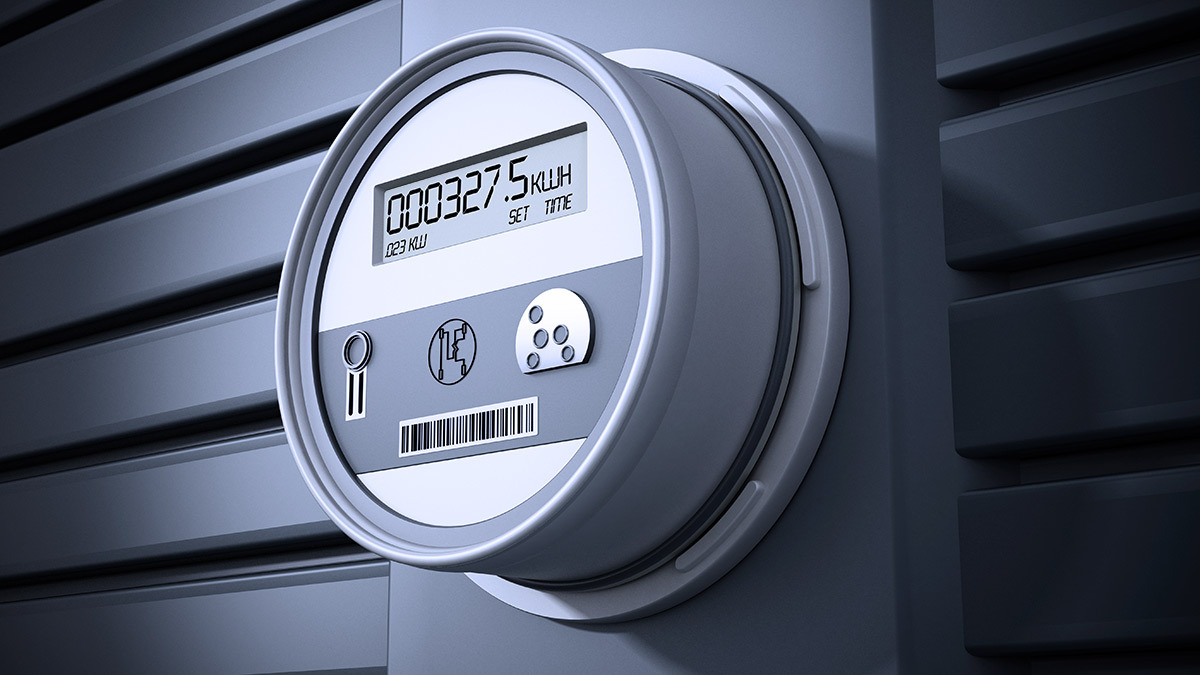
Your electricity meter is the cash register of your home's energy use, and yet most people never look at it until a bill seems wrong. Reading it yourself takes a minute, catches estimated-billing errors, and is the first step in understanding where your energy goes. Here's how to read each common meter type — dials, digital displays and smart meters — plus what the numbers actually mean.
First: what the meter measures
Domestic electricity meters count kilowatt-hours (kWh) — units of energy, not power. One kWh is a thousand watts sustained for one hour: a 2,000 W kettle running for 30 minutes, a 100 W television running for ten hours. Your supplier multiplies the kWh you've used by your tariff rate; everything else on the bill is standing charges and taxes.
Reading a digital meter
Modern non-smart meters show a straightforward digital display:
- Read the digits from left to right.
- Ignore anything in red or after a decimal point — those are tenths of a unit.
- If the display cycles through several values (rate 1, rate 2, total, time), note the register numbers your tariff uses. Two-rate tariffs (day/night) show two separate registers, often labelled R1 and R2 or Low/Normal.
Reading a dial meter
Older electromechanical meters — like the classic spinning-disc unit pictured above — use a row of clock-style dials. They intimidate people, but three rules tame them:
- Adjacent dials rotate in opposite directions. Check each dial's own 0–9 direction rather than assuming.
- When the pointer sits between two numbers, record the lower one (between 9 and 0, record 9).
- When a pointer sits exactly on a number, look at the dial to its right: if that dial reads 8 or 9, the pointer hasn't actually completed the digit — record one less.
Read the dials left to right, skip any dial marked 1/10, and you have your reading. Take a phone photo as a timestamped record — useful if you ever dispute a bill.
Reading a smart meter
Smart meters send readings to your supplier automatically, but you can always read them locally:
- On the meter itself, the display either shows total kWh directly or reveals it after pressing a button (often labelled A or 9 depending on the model — the supplier's instructions or nameplate will say).
- On the in-home display, you get live consumption in watts plus daily/weekly/monthly kWh. The live figure is the fun one: walk around switching things on and off and watch what each appliance really draws.
If you're choosing between models, we compared popular units in our smart meter comparison.
Turning readings into insight
One reading tells your supplier the truth; two readings tell you the truth. Note the meter reading at the same time each week and subtract: that's your weekly kWh. From there:
- Compare a heating week against a mild week to see what climate control really costs.
- Check standby load: read the meter last thing at night and first thing in the morning. A large overnight number with everything "off" means fridges plus a pile of standby devices — or something you didn't know was running.
- Sanity-check your bill's estimated readings; suppliers correct genuine errors when you submit actual readings.
What meter reading is not
Reading the display is completely safe. Everything else about a meter is not your territory: the meter, its terminals and the service fuse ahead of it belong to your supplier or network operator, seals and all. Signs of trouble at the meter — burning smells, buzzing, scorch marks, a display that's dead — mean calling your supplier, not opening anything. And connecting or moving a meter is strictly professional work, as our article on home electricity meter connection explains in detail.
Note: display sequences, button labels and tariff register names vary by country and meter model. When in doubt, your electricity supplier's website will have instructions for the exact meters they install.